

Developed in-house by FreeMCHost
Raccoon Panel
Your Minecraft network. Your rules.
More than a single Minecraft server. Your own panel to create instances, bring your team together and grow across nodes.
Inside Raccoon
One home for your servers.
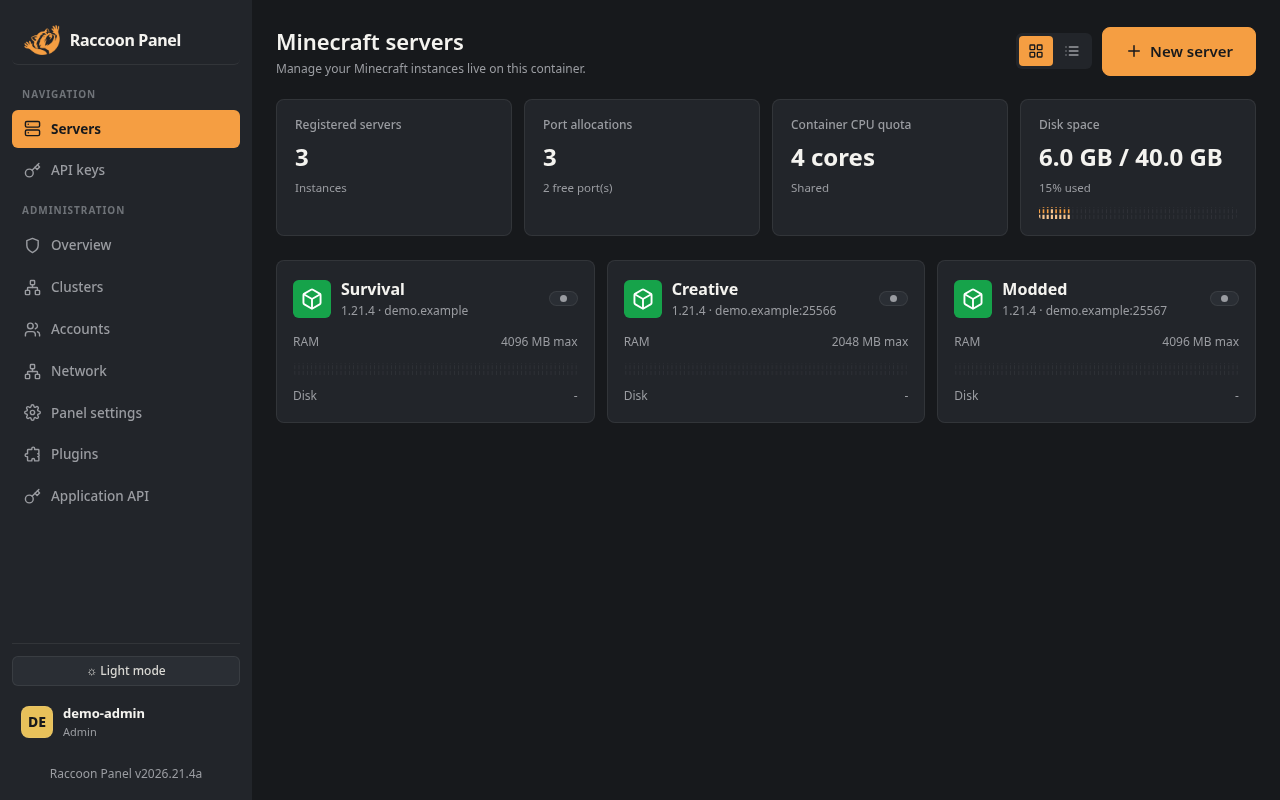
From a first world to a full network.
Launch Vanilla, Paper or modded instances. Follow the live console, control power, edit files and server properties, manage players and keep backups of your worlds.
- Live console
- File manager
- Backups
- Player management
Made for independent communities
The freedom to run things your way.
Build your Minecraft network
Create Minecraft instances, choose your software and allocate RAM, CPU and disk within your node’s resources.
Stay close to every server
Live console, power controls and resource monitoring. Browse files, edit configurations and manage players in one place.
Give your team the right access
Create accounts, assign owners and delegate specific server permissions without handing over your entire panel.
Keep your worlds in your hands
Create, restore and delete server backups. Stop the instance before making or restoring a snapshot.
Connect your nodes
Link hosting nodes, inspect their resources and manage port allocations across your network.
Make the panel your own
Install plugins, configure extensions and apply visual themes. Enable only the trusted extensions you choose.
Your panel. Our hosting.
You manage what happens inside Raccoon. FreeMCHost manages the hosting environment underneath it.
On FreeMCHost
Node power controls, console logs, ports, panel version, user management and panel reinstallation.
In your Raccoon Panel
Minecraft instances, server files, backups, players, delegated access, plugins, APIs and linked nodes.
A few things to know.
Make room for your next world.
Choose a Raccoon Node and build from there.